


Extended opening hours at the library
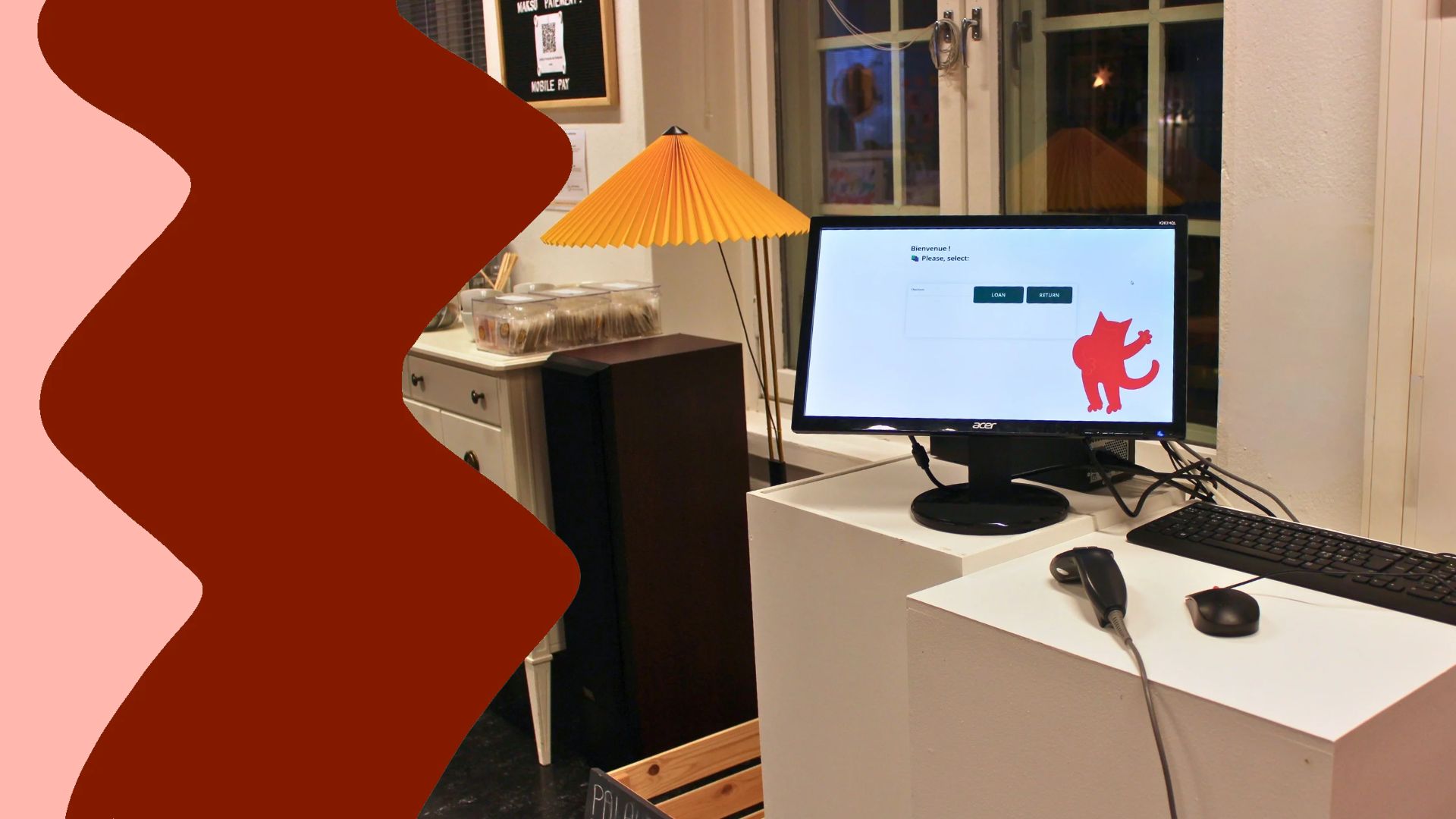
Borrow and return items independently and enjoy extended access to the library thanks to the self-service kiosk.
Since October, our library has been equipped with a self-service kiosk. Thanks to this new equipment, we can now extend our opening hours and allow you to borrow and return items during certain evenings, even when our staff are no longer on site. Here’s everything you need to know about how it works!
Please note that our staff will not be available to assist you during self-service hours.
From 30 November 2026, the library’s opening hours are as follows:
- Tuesday – Wednesday:
10:00-16:30 with staff present
16:30-20:00 self-service - Thursday:
10:00-14:00 with staff present - Friday:
10:00-16:30 with staff present
16:30-17:00 self-service - Saturday:
10:00-14:00 with staff present
During unstaffed hours, you can:
- Borrow items (excluding the raclette machine and pétanque sets)
- Return items
- Purchase products from our boutique and café corner via MobilePay (excluding gift cards for French courses)
- Stay and enjoy the library until the Institute closes
The following services require assistance from our team:
- Creating a library account
- Picking up your library card for an existing account
- Renewing loans (please email kirjasto@france.fi)
- Borrowing the following special items: raclette machine and pétanque sets
- Purchasing gift cards for French courses
- Assistance with any questions regarding the library or other Institute services, either on site or via WhatsApp
To use the kiosk, you must already have a library account. Your library card makes identification easier, but it is not required.
Borrowing items
- Click “LOAN” with the mouse.
- Click on the first field with the mouse (“Tap under, then scan your library card”).
- Scan your library card or enter your name manually using the keyboard.
- Click on the second field with the mouse (“Tap under, then scan the book”).
- Scan the barcode of the item you wish to borrow (ISBN barcode).
- Select the correct item displayed on the screen after scanning.
- Set the return date for four weeks later.
- Click “submit”.
- If necessary, add additional items, clicking “submit” after scanning each one.
- To finish, click “close”.
Returning items
You can simply place your items in one of the return boxes located near the elevator entrance or next to our welcome desk. Returns will be processed by our team on the next working day.
You can also return items directly using the kiosk:
- Click “RETURN” with the mouse.
- Scan the barcode of the item you wish to return (ISBN barcode).
- Select the correct item displayed on the screen after scanning.
- Click “submit”.
- If necessary, add additional items, clicking “submit” after scanning each one.
- To finish, click “close”.
Then place your returned items in the box located at the base of the kiosk.